Help CenterShot Setup FAQs & Troubleshooting
Placing the Ball and Phone on Separate Surfaces to Avoid Vibration
Last updated October 13, 2026
Stable camera footage is critical for accurate tracking.
When the ball is struck, it creates vibrations through the ground. If your phone is on the same surface, those vibrations transfer directly into the camera.
This can reduce tracking quality or cause missed shots.
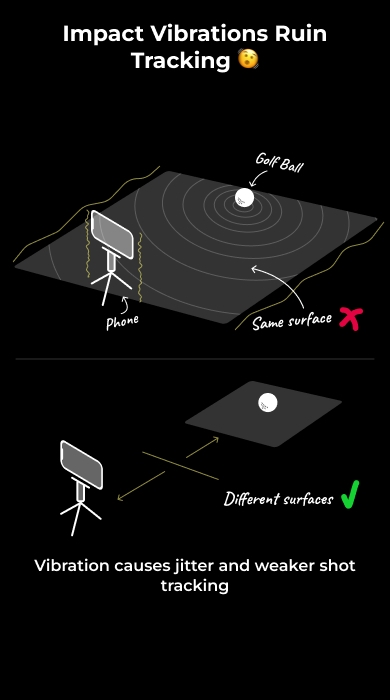
Why Vibration Affects Tracking
- Impact sends vibrations through the hitting surface
- The phone picks up this movement
- Camera shake reduces image clarity
- Blurred frames lead to poor or failed detection
Correct Setup
- Place the ball on a separate hitting surface
- Keep the phone or tripod on a different surface
Examples:
- Ball on a mat, phone on solid ground
- Ball on turf, phone on a separate platform
What to Avoid
- Ball and phone on the same mat
- Ball and tripod connected through the same surface
- Any setup where impact vibrations can travel to the phone
What Happens If You Don’t
- Jittery or unstable footage
- Missed shot detection
- Inconsistent or inaccurate shot data